01
Search that starts with a tag
Combine tags until the list holds only what you want to read. Warnings and pairings are filters here, not small print.
A quiet reading app for fanfiction, with every tag where you expect it.
AO3 keeps works from thousands of fandoms in one ad-free library. Follow a series, mark a work for later, and pick up on any device where you stopped.
Android, iOS, HarmonyOS and Windows
AO3 is an archive built by fans, for fans. Every work carries the tags its author chose, so a search can begin with a fandom and narrow down to a pairing, a trope, or the kind of ending you feel like reading.
AO3 keeps that structure on a phone. Browse a fandom, stack a few filters, open a chapter, and come back tomorrow to the same paragraph.
Tags are the archive's index. Add one to narrow a search, take one away to open it up again.
Captures from the app, in the order a reading session usually runs. On a phone, the row scrolls sideways.
01 — 05
Swipe to see all five
01Launch screen
The archive mark while the app opens its first page.
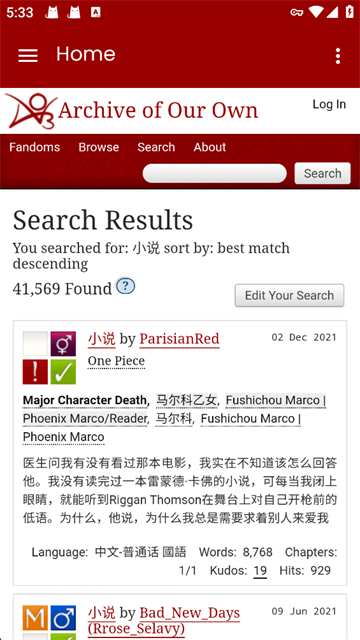
02Tag search
Results for a tag query, with language, word count and chapter count on every card.
03App menu
Home and the privacy policy, reachable from any screen in one tap.
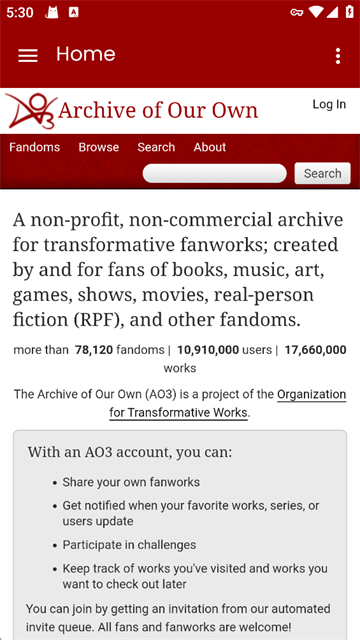
04Archive home
What the archive holds, and what an account adds to reading.
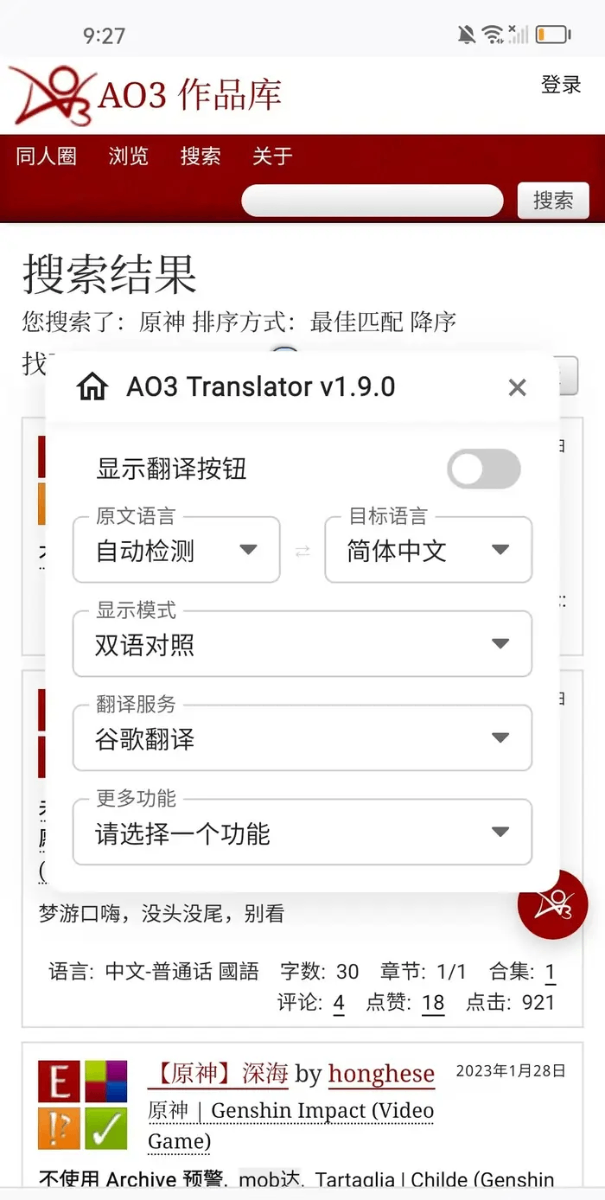
05Translation panel
Original and target language, side-by-side mode and the translation service in one panel.
Six parts of the reading experience, in the order most readers meet them.
Combine tags until the list holds only what you want to read. Warnings and pairings are filters here, not small print.
Set type size and line spacing, switch to a night page, and AO3 returns you to the same place between chapters.
Subscribe once and AO3 shows the new chapters when you open it, without a feed full of everything else.
In AO3, bookmarks, marked for later and history stay separate, so a reading queue does not turn into a pile.
Save a filter set for one fandom and apply it again the next time you browse that fandom.
Reading on AO3 is free and the page stays quiet. A chapter ends and the next one begins.
Four steps, the length of a chapter.
01 — 04
Use the download button at the top of this page and choose your platform.
Type a fandom name into AO3, or paste a tag you already follow to go straight to its works.
Add a couple of tags, sort by updated date, and save the filter if you plan to return.
Open a work, finish a chapter and bookmark it in AO3 before you close the app.
Readers who asked not to be named.
The reader is quiet. No banners, no pop-ups, nothing between one chapter and the next.
I search by pairing first and warning second. Two tags and the list is small enough to read.
The update list is the first thing I check in the morning. Four series, one screen.
I read before sleep, so the night page matters more to me than anything else in the app.
Short answers, filed like index cards.
Still looking?
The web version panel carries the current service notice, and the WeChat account posts updates when something changes.
Yes. Reading AO3 costs nothing, the archive carries no advertising, and the project runs as a non-commercial, fan-run organisation.